Choosing a Cisco Catalyst 9200 or 9300 switch is only part of a network procurement project.
Uplink modules, stacking hardware, power supplies, optics, cables and spare components all need to be compatible with the exact switch model being deployed.
A part number that looks similar is not necessarily interchangeable.
This guide provides a practical hardware and procurement reference for the Cisco Catalyst 9200, 9200L, 9300, 9300L and 9300X families. It is designed for IT managers, network engineers, procurement teams and organisations sourcing replacement, upgrade or spare Cisco hardware.
Quick answer: Cisco Catalyst 9200 and 9300 accessories are not universally interchangeable. C9200 and C9300 modular switches use different uplink module families, while C9200L and C9300L switches have fixed uplinks. Stacking hardware and power requirements also vary by platform.
Cisco Catalyst 9200 vs 9300: Key Hardware Differences
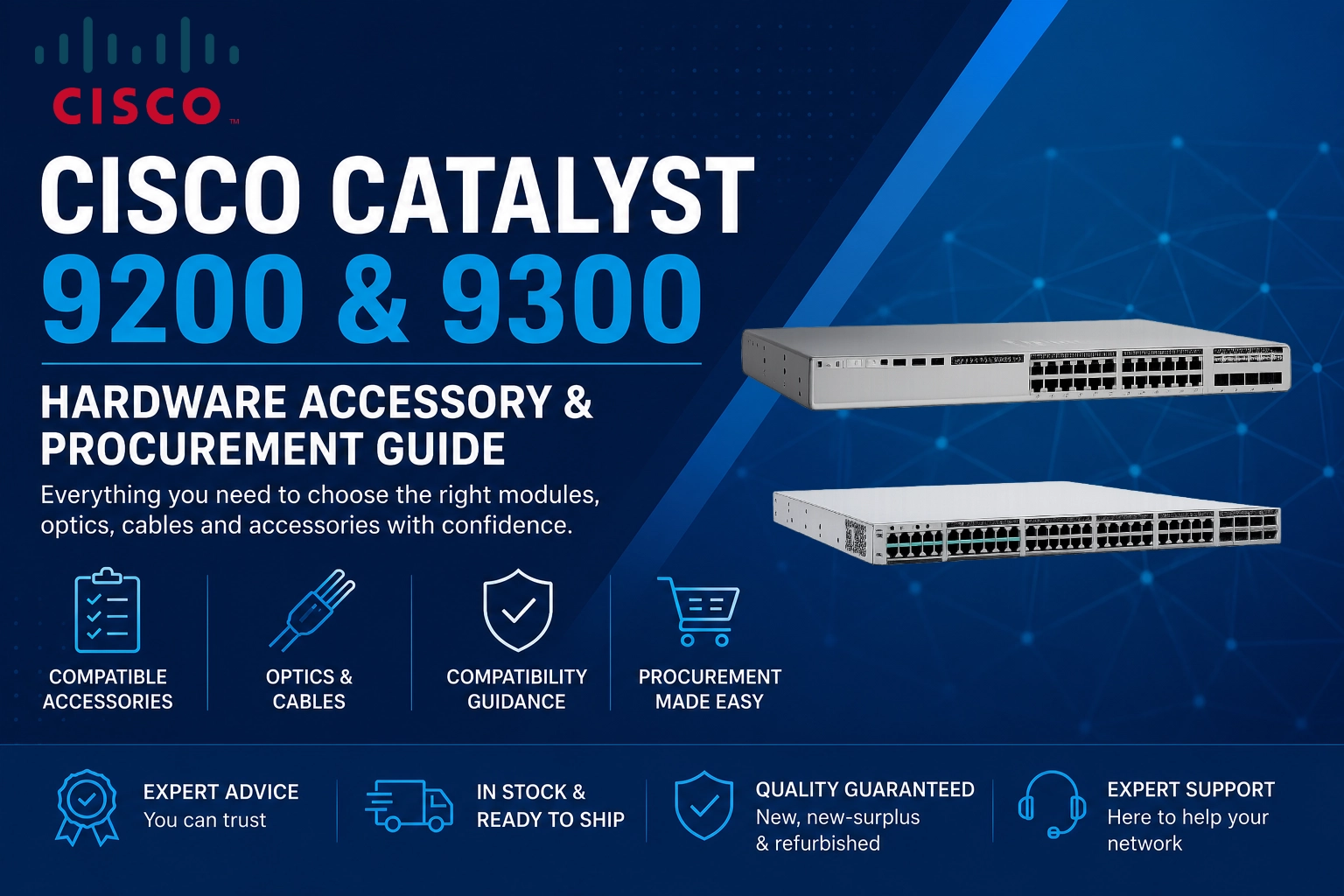
Before ordering accessories, identify the exact switch family.
| Switch Family | Uplink Type | Stacking | Typical Use |
|---|---|---|---|
| Cisco Catalyst 9200 | Modular | StackWise-160 | Branch and enterprise access |
| Cisco Catalyst 9200L | Fixed | StackWise-80 | Cost-effective access switching |
| Cisco Catalyst 9300 | Modular | StackWise-480 | Enterprise campus access |
| Cisco Catalyst 9300L | Fixed | StackWise-320 | Enterprise access |
| Cisco Catalyst 9300X | Modular | StackWise-1T | High-performance enterprise access |
The most important procurement rule is simple:
Always check the full switch model before ordering an uplink module, stack kit, power supply or replacement accessory.
A C9200 network module cannot be assumed to work in a C9300 simply because both switches belong to the Catalyst 9000 family.
Quick Cisco Catalyst 9200 and 9300 Compatibility Matrix
| Component | C9200 | C9200L | C9300 | C9300L | C9300X |
|---|---|---|---|---|---|
| Modular uplink | ✓ Yes | ✕ No | ✓ Yes | ✕ No | ✓ Yes |
| Fixed uplink | ✕ No | ✓ Yes | ✕ No | ✓ Yes | ✕ No |
| Stackable | ✓ Yes | ✓ Yes | ✓ Yes | ✓ Yes | ✓ Yes |
| Redundant PSU capability | Model dependent | Model dependent | ✓ Yes | Model dependent | ✓ Yes |
| 1G uplink options | ✓ Yes | Model dependent | ✓ Yes | Model dependent | ✓ Yes |
| 10G uplink options | ✓ Yes | Model dependent | ✓ Yes | Model dependent | ✓ Yes |
| 25G uplink options | ✕ No | ✕ No | Selected configurations | Model dependent | ✓ Yes |
| 40G uplink options | ✕ No | ✕ No | Selected modules | ✕ No | ✓ Yes |
| 100G uplink options | ✕ No | ✕ No | ✕ No | ✕ No | ✓ Yes |
Compatibility should always be verified against the exact switch SKU and Cisco hardware documentation before deployment.
Cisco Catalyst 9200 Uplink Modules
Standard Cisco Catalyst 9200 switches use replaceable network modules.
The two commonly requested options are:
C9200-NM-4G
4-port 1 Gigabit Ethernet network module
Typical use:
- 1G fibre uplinks
- Legacy access-layer infrastructure
- Branch networks
- Lower-bandwidth aggregation requirements
The C9200-NM-4G is designed for compatible modular Cisco Catalyst 9200 switches.
It should not be purchased for a C9200L switch, which uses fixed uplinks, or for a Catalyst 9300.
Need a C9200-NM-4G?
Check the Flux IT shop for current availability. If the exact SKU is not listed, Flux IT Hardware can source new, new-surplus or refurbished Cisco hardware through its wider UK and European supply network. Get a Fast Quote.
C9200-NM-4X
4-port 1G/10G network module
The C9200-NM-4X is commonly selected where a Catalyst 9200 requires higher-speed fibre connectivity.
Typical applications include:
- 10G server or aggregation uplinks
- Fibre connections between network cabinets
- Access-to-core connectivity
- Network refresh projects moving beyond 1G uplinks
The module provides greater flexibility than the 4G version where 10 Gigabit Ethernet connectivity is required.
Procurement note
Do not confuse the C9200-NM-4X with similarly named Catalyst 9300 modules.
They are different hardware families.
Not Sure Which Cisco 9200 or 9300 Parts You Need?
Avoid ordering the wrong uplink module, power supply, stack cable or optic. Send Flux IT your Cisco switch model, required quantity or complete BOM, and our team can help identify compatible hardware and provide a fast quotation.
We supply new, new-surplus and refurbished Cisco hardware, from individual accessories to complete network refresh projects.
What About Cisco Catalyst 9200L Switches?
Cisco Catalyst 9200L models use fixed uplinks.
This means you do not purchase a separate C9200-NM uplink module.
The uplink configuration is built into the switch model itself.
Examples include:
- C9200L-24T-4G
- C9200L-24T-4X
- C9200L-24P-4G
- C9200L-24P-4X
- C9200L-48T-4G
- C9200L-48T-4X
- C9200L-48P-4G
- C9200L-48P-4X
The suffix is important:
- 4G generally identifies four fixed 1G uplinks.
- 4X generally identifies four fixed 1G/10G uplinks.
If you already own a C9200L, you cannot convert it from a 4G configuration to a 4X configuration by installing a network module.
That difference must be considered when buying the switch itself.
Cisco Catalyst 9300 Uplink Modules
The modular Cisco Catalyst 9300 platform supports a different family of network modules.
Common options include:
C9300-NM-4G
4-port 1 Gigabit Ethernet network module
Suitable for environments that require 1G fibre uplinks and do not need higher uplink speeds.
C9300-NM-4X
4-port 1G/10G network module
A common choice for enterprise Catalyst 9300 deployments requiring 10G uplinks.
Typical applications include:
- Campus access switching
- 10G distribution uplinks
- Fibre-connected network cabinets
- Enterprise network refreshes
C9300-NM-8X
8-port 1G/10G network module
The C9300-NM-8X provides additional uplink density for environments requiring more fibre connectivity.
It can be useful where multiple 10G connections are required without adding another switch solely for uplink capacity.
Typical applications include:
- Multiple distribution links
- Higher-density fibre connectivity
- Resilient network designs
- Enterprise campus environments
C9300-NM-2Q
2-port 40 Gigabit Ethernet network module
The C9300-NM-2Q is designed for higher-bandwidth uplink requirements.
Typical applications include:
- High-capacity aggregation
- Campus core connectivity
- Higher-bandwidth inter-switch links
Always verify support against the exact Catalyst 9300 switch model and software requirements before ordering.
Cisco Catalyst 9300X Network Modules
The Cisco Catalyst 9300X is a higher-performance platform and uses its own uplink module options.
Commonly requested modules include:
C9300X-NM-2C
Designed for high-speed uplink connectivity, including 40G and 100G deployment requirements depending on the supported configuration.
C9300X-NM-4C
Provides additional high-speed uplink capacity for demanding enterprise network designs.
C9300X-NM-8Y
Designed for flexible high-speed connectivity, including 1G, 10G and 25G requirements depending on the supported optics and configuration.
Important
Do not assume a standard C9300 network module is compatible with a C9300X.
The exact switch and module combination should be verified before purchase.
Cisco Catalyst 9200 and 9300 Stacking Hardware
Stacking allows multiple physical switches to operate as a more unified system.
However, the stacking technology and required hardware vary between Catalyst families.
Catalyst 9200 Stacking
Cisco Catalyst 9200 switches support StackWise technology, but the exact stack architecture depends on the model.
Common procurement requirements can include:
- Stack modules or stack kits
- Data stack cables
- Power stacking components where supported
- Correct cable lengths for the rack design
Do not assume that a stacking cable from an older Cisco Catalyst platform will work with a Catalyst 9200.
Catalyst 9300 Stacking
Standard modular Catalyst 9300 switches use StackWise-480.
Common stack cable lengths include:
- STACK-T1-50CM
- STACK-T1-1M
- STACK-T1-3M
The correct length depends on how the switches are positioned in the rack.
Practical procurement advice
For switches mounted directly above and below one another, shorter stack cables may be suitable.
For larger stacks or equipment separated within a rack, longer cables may be required.
Plan the physical stack topology before ordering.
A switch arriving without the correct stack cable can delay an otherwise complete deployment.
Catalyst 9300X Stacking
Catalyst 9300X switches use higher-performance StackWise technology.
Do not assume that standard C9300 stacking components are automatically suitable for a C9300X deployment.
Always verify:
- Exact switch model
- Stack architecture
- Cable type
- Cable length
- Number of switches in the planned stack
Cisco Catalyst 9200 and 9300 Power Supplies
Power supply selection is one of the most commonly overlooked parts of Cisco switch procurement.
The correct PSU depends on:
- Exact switch model
- PoE or non-PoE configuration
- Required PoE budget
- Redundancy requirements
- Number of powered devices
- Regional power requirements
Common Catalyst power supply families include:
- PWR-C5 series
- PWR-C1 series
Typical Catalyst 9300 power supply SKUs include:
- PWR-C1-350WAC
- PWR-C1-715WAC
- PWR-C1-1100WAC
Higher-power variants may be required for certain configurations.
Why PSU wattage matters
A data-only switch has very different power requirements from a fully populated PoE access switch powering:
- Wireless access points
- IP phones
- Security cameras
- IoT devices
- Other PoE endpoints
Buying a power supply based only on physical fit is not enough.
The PSU must support the switch and the intended power budget.
Redundant Power Supplies: Do You Need a Second PSU?
A second power supply can provide additional resilience, but the correct configuration depends on the switch and deployment.
Organisations commonly purchase a second PSU for:
- Business-critical access switches
- Healthcare environments
- Education networks
- Manufacturing
- Data centres
- High-availability enterprise networks
Before ordering a redundant PSU, check:
- The exact switch SKU
- Existing PSU wattage
- Supported PSU combinations
- PoE requirements
- Power source design
For a replacement PSU, providing the exact part number from the existing unit is often the fastest way to identify the correct replacement.
Cisco Catalyst 9200 and 9300 Optics
The correct optical transceiver depends on the uplink port and the network requirement.
Common Cisco optics used with Catalyst access switching include:
| Speed | Common Optics & Cables | Typical Use | Compatibility Notes |
|---|---|---|---|
| 1G | GLC-SX-MMD GLC-LH-SMD |
• Existing 1G fibre networks • Campus connections • Short-range multimode fibre • Longer-distance single-mode fibre |
Commonly used for established 1G fibre infrastructure. Select the correct optic for the required fibre type and distance. |
| 10G | SFP-10G-SR SFP-10G-LR |
• 10G uplinks • Distribution connectivity • Fibre between cabinets • Campus network upgrades |
Common for Catalyst access-to-distribution uplinks. Verify that the switch or installed network module supports 10G SFP+ connectivity. |
| 25G | SFP-25G-SR-S SFP-25G-LR-S |
• Higher-performance uplinks • High-bandwidth enterprise networks • Short-range multimode fibre • Longer-distance single-mode fibre |
Model and module dependent. Verify the exact switch model, network module and port capability before purchasing 25G optics. |
| 40G / 100G | QSFP+ optics QSFP28 optics DAC cables AOC cables Breakout cables |
• High-speed aggregation • Core connectivity • High-bandwidth switch uplinks • Short-distance direct connections • Breakout connectivity |
Compatibility depends on the switch model, network module, port speed, cable type, fibre type, distance and software support. Commonly associated with higher-performance Catalyst 9300 and 9300X configurations. |
Before ordering, provide ect connections
• Breakout connectivityCompatibility depends on the switch model, network module, port speed, cable type, fibre type, distance and software support. Commonly associated with higher-performance Catalyst 9300 and 9300X configurations.the required distance and port type.
This can prevent purchasing unnecessary optics or incompatible cabling.
Common Cisco Catalyst 9200 and 9300 Procurement Mistakes
1. Buying a C9200 module for a C9300
The part numbers may look similar, but the module families are not interchangeable.
2. Buying an uplink module for an “L” model
C9200L and C9300L models use fixed uplinks.
3. Ordering the switch but forgetting the stacking hardware
A stack deployment may require separate cables or other hardware.
4. Ordering the wrong PSU wattage
PoE requirements can significantly affect the required power configuration.
5. Buying optics before checking the uplink module
The transceiver must match the supported port type and speed.
6. Assuming every C9300 accessory fits a C9300X
The C9300X is a distinct hardware platform with different high-performance options.
7. Ordering by description instead of exact SKU
“Cisco 9300 48-port PoE switch” is not specific enough for reliable procurement.
Always use the full part number where possible.
What Information Should You Provide When Requesting a Cisco Quote?
For the fastest and most accurate quotation, provide:
- Exact switch SKU
- Quantity required
- Network Essentials or Network Advantage requirement
- New, new-surplus or refurbished preference
- Required uplink speed
- Required uplink module
- PoE requirement
- Power supply requirement
- Stacking requirement
- Required optics
- Required DAC or fibre cables
- Delivery deadline
- Installation location or country
If you already have a Bill of Materials, send the complete BOM.
Flux IT can help identify missing components and check whether accessories appear compatible with the requested switch platform.
Buying New, New-Surplus or Refurbished Cisco Catalyst Hardware
Not every network project requires factory-new hardware.
Depending on availability, budget and deployment requirements, organisations may consider:
New – Suitable where an organisation requires a standard new hardware procurement route.
New-Surplus – Unused equipment available outside the normal project or distribution lifecycle can provide an alternative procurement option.
This can be particularly useful when:
- Lead times are long
- A specific SKU is difficult to source
- Additional switches are needed to match an existing estate
- Budget is a consideration
Refurbished – Professionally tested refurbished Cisco equipment can be suitable for:
- Network expansion
- Spares
- Lab environments
- Temporary projects
- Existing infrastructure
- Budget-sensitive deployments
The right option depends on the project, support requirements and internal procurement policy.
Need a Cisco Catalyst 9200 or 9300 SKU That Is Not Listed Online?
Not every Cisco part available through Flux IT Hardware is necessarily listed in the online shop.
Flux IT Hardware can source Cisco switches, network modules, power supplies, stacking hardware, optics, cables and spare components through its wider UK and European supply network. Get a fast quote today.
This can be particularly useful for:
- Large Bills of Materials
- Multiple switch configurations
- Hard-to-find accessories
- New-surplus hardware
- Refurbished hardware
- Urgent replacement requirements
- Mixed Cisco infrastructure projects
Send us the exact Cisco part number, required quantity and condition preference for a procurement quote.
Trade In Existing Cisco Hardware When You Upgrade
If you are upgrading from older Cisco Catalyst switches to the 9200, 9300 or 9300X platform, your existing equipment may still have residual value.
Flux IT can assess surplus Cisco networking equipment and provide a trade-in or purchase quotation.
Eligible equipment can include:
- Cisco Catalyst switches
- Cisco Nexus switches
- Cisco routers
- Cisco firewalls
- Cisco UCS hardware
- Wireless equipment
- Network modules
- Optics
- Power supplies
The value of surplus equipment can potentially be used to offset the cost of replacement infrastructure through a trade-in and trade-up project.
Cisco Catalyst 9200 and 9300 Procurement Checklist
Before placing an order, confirm:
| Cisco Catalyst 9200 & 9300 Procurement Checklist | |
|---|---|
| Exact switch model | Port count |
| Data or PoE requirement | Network Essentials or Network Advantage |
| Fixed or modular uplinks | Required uplink speed |
| Correct network module | Stacking requirement |
| Correct stack cables | Power supply wattage |
| Redundant PSU requirement | Optics |
| Fibre type | DAC or AOC requirements |
| Rack accessories | New, new-surplus or refurbished condition |
| Required delivery date | Quantity required |
A few minutes spent checking these items can prevent incorrect orders and project delays.
Need Help Building a Complete Cisco Catalyst 9200 or 9300 BOM?
If you are planning a network refresh, adding switches to an existing estate or replacing failed hardware, Flux IT can help source the complete hardware requirement.
Send us:
Switch model + quantity + uplink requirement + stacking requirement + optics + preferred condition.
We can quote individual components or complete Bills of Materials covering switches, network modules, power supplies, stacking hardware, optics and cables.
Cisco Catalyst 9200 and 9300 Hardware FAQ’s
Start with the exact switch SKU rather than a general product description. Then confirm the uplink type, required network module, stacking architecture, PSU wattage, PoE budget, optic speed, fibre type and cable requirements. For larger deployments, having the complete Bill of Materials checked before ordering can reduce compatibility issues and project delays.
Yes. Not every Cisco switch, module, optic, power supply or accessory available through Flux IT Hardware is necessarily listed online. Businesses can provide an exact Cisco part number, quantity and preferred condition for a procurement quotation, including hard-to-find components and larger Bills of Materials.
Yes. Refurbished Cisco Catalyst hardware can be suitable for network expansion, spares, lab environments, existing infrastructure and budget-sensitive projects. Buyers should check the equipment condition, testing process, warranty and exact SKU before purchasing. New-surplus hardware can also provide an alternative when specific models are difficult to source through standard channels.
UK organisations can source Cisco Catalyst 9200 and 9300 switches, network modules, power supplies, stacking hardware, optics and cables through specialist Cisco hardware suppliers such as Flux IT. Depending on the project and availability, hardware may be available as new, new-surplus or professionally refurbished equipment.
For an accurate quotation, provide the exact switch SKU, quantity, required licence tier, PoE requirement, uplink speed, network module, stacking requirements, power supplies, optics, cables, preferred condition and delivery deadline. If you have a complete Bill of Materials, sending the full BOM can help identify missing or potentially incompatible components.
25G support depends on the exact Catalyst switch and network module combination. Do not purchase 25G optics based only on the switch family name. Confirm that the exact switch model and installed network module support the required 25G port configuration before ordering transceivers such as SFP-25G-SR-S or SFP-25G-LR-S.
Common 1G optics include GLC-SX-MMD and GLC-LH-SMD, while common 10G options include SFP-10G-SR and SFP-10G-LR. Selected higher-performance configurations may support 25G, 40G or 100G connectivity. The correct optic depends on the switch, network module, port speed, fibre type and transmission distance.
A second power supply may be used to provide additional resilience for business-critical networks. Redundant power is commonly considered for healthcare, education, manufacturing, data centre and other high-availability environments. Before ordering a second PSU, check the exact switch SKU, existing PSU wattage, supported PSU combinations and required PoE budget.
The correct power supply depends on the exact Catalyst 9300 model, whether the switch provides PoE, the required PoE power budget and whether redundant power is required. Common power supply SKUs include PWR-C1-350WAC, PWR-C1-715WAC and PWR-C1-1100WAC. The PSU should be selected based on the complete switch configuration rather than physical fit alone.
Cisco Catalyst stacking compatibility depends on the exact switch family, model and supported StackWise architecture. You should not assume that Catalyst 9200, 9200L, 9300, 9300L and 9300X switches can all be combined in the same stack. Check the exact models and Cisco’s supported stacking requirements before purchasing stack cables or additional switches.
Standard modular Cisco Catalyst 9300 switches commonly use StackWise-480 and StackWise data cables such as STACK-T1-50CM, STACK-T1-1M and STACK-T1-3M. The correct cable length depends on the physical position of the switches in the rack and the planned stack topology. Always verify the exact switch family before ordering stacking hardware.
Common Catalyst 9300X network modules include the C9300X-NM-2C, C9300X-NM-4C and C9300X-NM-8Y. These modules support higher-performance connectivity options, depending on the exact switch, module, optics and software configuration. Standard C9300 modules should not be assumed to be compatible with a C9300X.
The C9300-NM-4X provides four uplink ports, while the C9300-NM-8X provides greater uplink port density. The C9300-NM-8X can be useful for enterprise networks requiring multiple fibre connections, resilient network designs or additional distribution links. Compatibility should be confirmed against the exact Catalyst 9300 model and intended configuration.
Common Cisco Catalyst 9300 network modules include the C9300-NM-4G, C9300-NM-4X, C9300-NM-8X and C9300-NM-2Q. The correct module depends on the required port count, uplink speed, switch model and network design. Higher-performance Catalyst 9300X switches use a different range of network modules.
No. Catalyst 9200L and 9300L switches use fixed uplink ports built into the switch. The available uplink speed depends on the exact model ordered. For example, C9200L model suffixes such as -4G and -4X identify different fixed uplink configurations, so the correct switch SKU should be selected at the procurement stage.
No. Cisco Catalyst 9200 and Catalyst 9300 switches use different network module families. A C9200-NM module should not be assumed to work in a C9300, and standard C9300 network modules should not be assumed to work with the higher-performance C9300X platform. Compatibility should always be checked against the exact switch and module part numbers.
The accessories required depend on the exact switch model and network design. Common requirements include uplink modules, stacking cables, power supplies, SFP or SFP+ optics, DAC or AOC cables and rack accessories. Cisco Catalyst 9200L and 9300L models have fixed uplinks, while modular Catalyst 9200, 9300 and 9300X models may require a compatible network module. Always check the full switch SKU before ordering accessories.
Need help buying, selling or managing enterprise IT hardware?
Talk to the Flux IT team for fast, flexible support — whether you need to source a single switch, shift a full data centre, or anything in between.